 PeakReachMANAGED SYSTEMS
Community Operations System
The PeakReach Community Operations System checks every vendor’s insurance before they are assigned, routes every quote to the right approver before work starts, and tracks every request to a closed job — alongside the accounting platform you already use.
Your accounting platform handles the money. PeakReach handles everything between a request and a closed job.
Runs alongside Vantaca, CINC, AppFolio, Buildium or Enumerate. Bring your portfolio in from a CSV export. How it fits →
Every work order moves through the same stages. Each stage has a person responsible, a next action and a clock.
Category, priority, emergency flag and a budget check on every request. Nineteen standard stages, from new to closed — including manager review and ready to release — plus on-hold, declined and cancelled.
Every quote stops with your manager first. Within the limit and budget, or an emergency: the manager approves. Up to the officer limit: president or treasurer. Above it: a board vote with quorum.
Certificates of insurance, licenses and W-9s are uploaded by the vendor and approved by your staff. A vendor without current insurance cannot be assigned.
Vendors can propose work they spot on site. Your manager asks a question, declines, or accepts — and accepting creates the work order and routes the approval.
Pools, gates, ponds, playgrounds and clubhouses with directions, map point, photos and documents; utility accounts; and the service providers for each association.
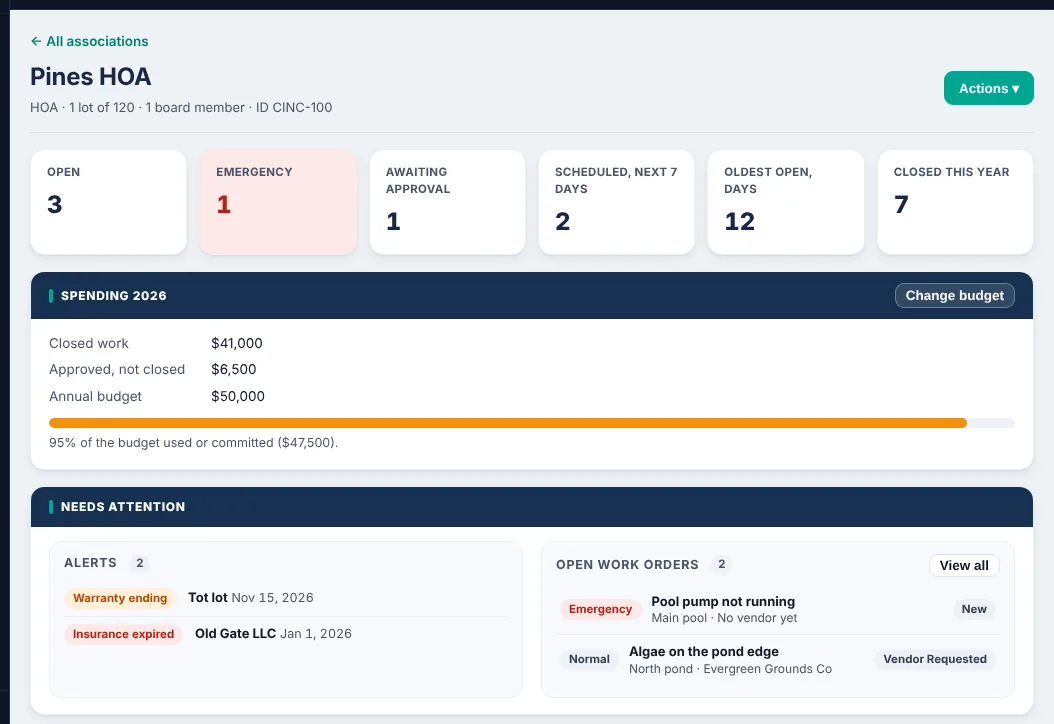
Open and closed work, spend against the annual budget, warranties ending and vendor insurance problems, on one screen per association.
Before, after and other photos from managers, vendors, board members and homeowners, stored privately with the work order.
The vendor’s certificate and license are saved when they are assigned, start and complete the work — and never change afterwards, even when the vendor renews.
Every change, quote, vote and message is on an append-only timeline — ready for the next board meeting or a homeowner’s question.
Reminders and escalations run on a clock. Notices go out by email from your company name, with replies coming back to your office; text messages can run through your existing messaging account.
When a job or a decision waits on someone.
Checked every day, with a daily compliance digest to your staff.
| When a work order… | Who is told |
|---|---|
| Needs a vendor | The assigned vendor, with the job and a link to accept or decline |
| Waits on an officer | The association’s president or treasurer |
| Goes to a board vote | Every board member of that association |
| Is scheduled | The homeowner who reported it |
| Is closed | The homeowner who reported it |
| Stalls anywhere | The manager assigned to the association |
Each person gets an invitation and signs in from a phone or a computer. They see only their home, their association or their jobs — enforced in the database, not just hidden on screen.
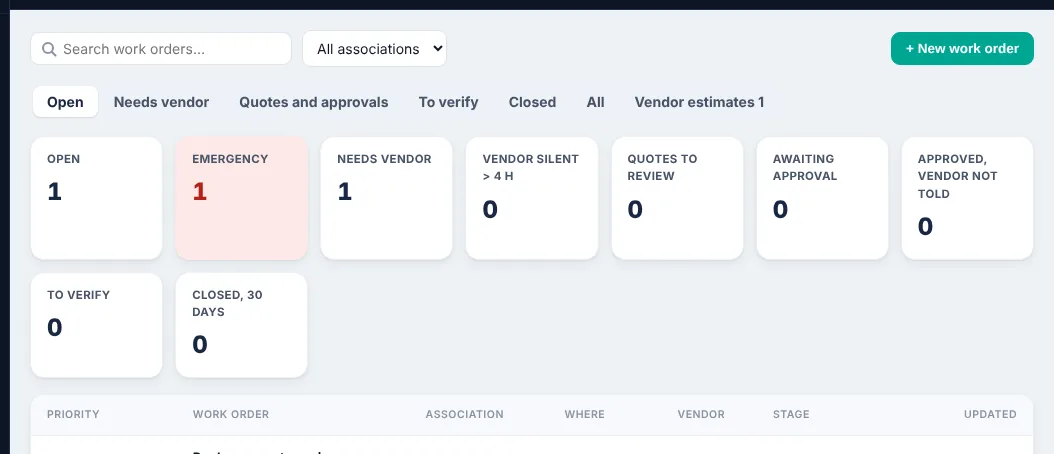
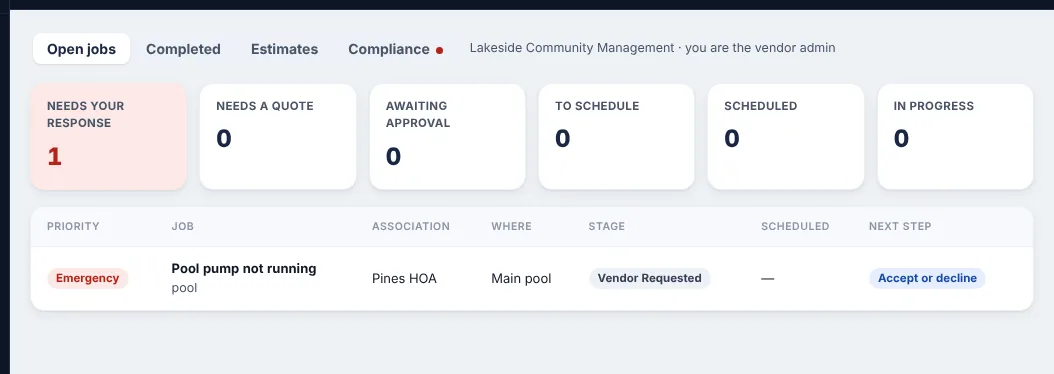
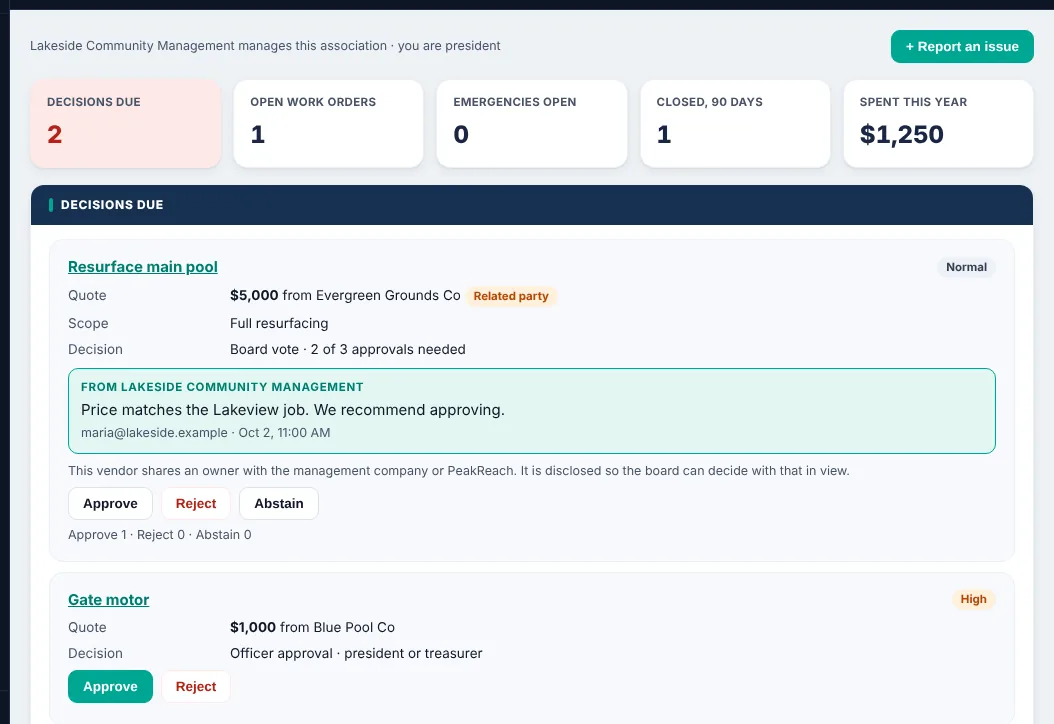
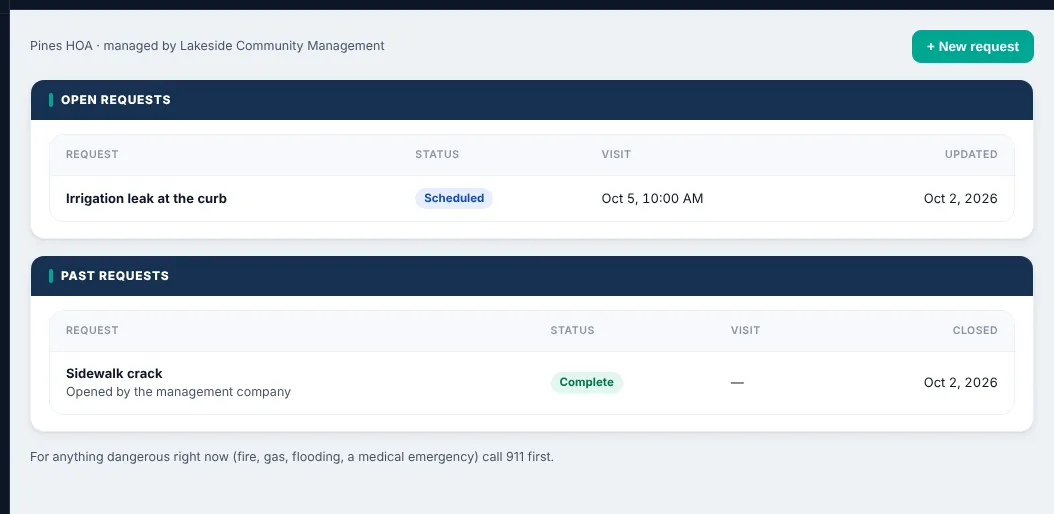
Screens shown with sample data.
Create your account, accept the terms and add a card. Your workspace is ready as soon as payment is confirmed.
We import your associations, homes, board members and vendors and configure approval rules with you.
Each management company sees only its own associations. Notices go out in your company’s name.
Pay for the associations you manage, not for each door or each user. Unlimited managers, board members, vendors and homeowners.
| Associations 1–35 | $75 / mo |
| Associations 36–100 | $60 / mo |
| Associations 101 and up | $50 / mo |
Not included: dues, assessments, collections and fund accounting. Those stay in your accounting platform.
No. Dues, assessments, collections and fund accounting stay where they are. Community Operations runs the work: requests, vendors, insurance, approvals and the record of each job. You can import associations, homes and homeowners from a CSV export of your current platform.
When you create an account, your workspace is created as soon as the card payment is confirmed and you receive an email invitation to set your password. Adding your associations takes one CSV import.
No. Each one gets an invitation and signs in to their own portal from a phone or computer. They see only their home, their association or their jobs.
You set the limits per association. Every quote is reviewed by your manager first. The manager approves quotes within the auto-approve limit and budget, and emergencies; quotes up to the officer limit go to the president or treasurer; larger ones go to a board vote with the quorum you choose. The vendor is told only when your manager releases the approval. Every vote is recorded.
Yes. You add your vendors with their contact and insurance details, invite them to the vendor portal, and choose which ones serve each association and for what kind of work.
Per association per month: $75 each for the first 35, $60 each for associations 36 to 100, and $50 each from 101. The minimum is 3 associations. There is no setup fee for the self-serve start and no per-user charge. Guided implementation is optional and quoted separately.
Yes. The plan is month-to-month. Cancelling stops the next charge, and your access continues to the end of the month you paid for.
Card details are entered on Stripe’s secure checkout page and never pass through PeakReach servers.
A 30-minute walkthrough: a homeowner request, a vendor quote, a board vote and the job closed with photos. Bring a real work order that went sideways — we will run it through the system with you.
Create your account today, or let us walk you through it first.